If FHIR has suddenly stopped launching and/or writing back in your TST and/or Production environment, the first thing you should do is check with your internal teams to see if there were any recent changes to the affected Epic environment that may have caused FHIR to stop working.
- Has there been an SU or upgrade performed in either environment?
- Have you recently completed a “copy down” from Prod to TST?
- Have any Data Courier (DC) or Content Management (CM) tickets been sent from TST to Production that contain Ignite on FHIR records?
- Have there been any other changes in the affected environment?
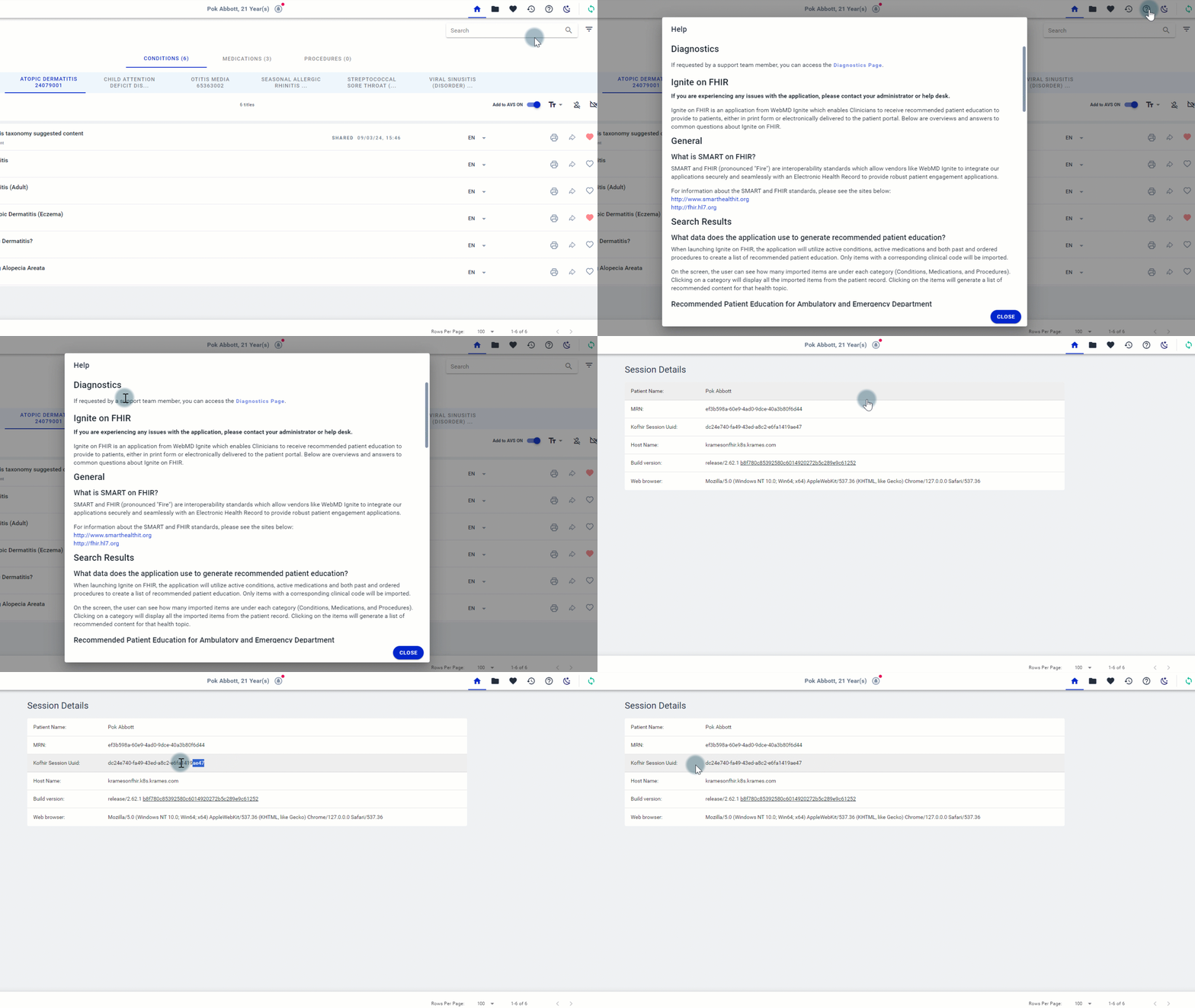
If you have determined the cause of FHIR not launching and/or writing back may not be on your side and/or you need help to resolve your issue(s), please submit a support ticket to the WebMD Ignite Help Desk. When reporting an issue, please include screenshots when/where appropriate and the Ignite on FHIR session id, which can be located via the Diagnostics Page link at the top of the Help Page. If the screenshots are from your production environment, please make sure to redact any patient information so as not to violate HIPAA.
Other questions or concerns?
Please submit a support ticket to the WebMD Ignite Help Desk and include screenshots when/where appropriate and the Ignite on FHIR session id. If the screenshots are from your production environment, please make sure to redact any patient information so as not to violate HIPAA.
Related Help Content
 Ignite on FHIR
May 2025 - Coffee With... Dominique Cox: Ignite on FHIR Reporting Capabilities
[Topics] Key Ignite on FHIR utilization reporting measures and current Ignite on FHIR reporting capabilities; What to expect from regular reporting; Deeper dive into identifying opportunities via Session Log; Client success story: Legacy Health