You asked, we answered: A smoother experience is here
Our recent release improved how you access and administer Ignite On-Demand. Now we’ve done some fine-tuning based on your feedback to ensure seamless account management.
What it is
We’ve introduced two new admin settings that give you even greater control over user access:
Extend when links expire
Choose how long password reset and account setup links stay active, giving your team more time to complete their login or onboarding steps.
Get users in, instantly
If a user can’t find the email with their password reset or account setup link, no problem. Admins can now copy the link right from the user’s profile and share it directly.
How it works
Set your link expiration time
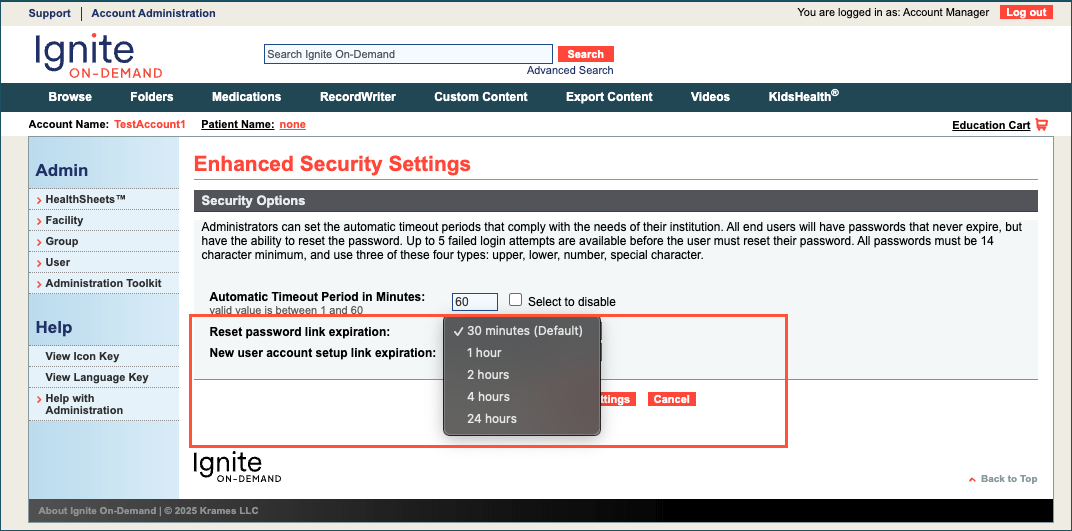
In Enhanced Security Settings, admins can now set how long each automated link remains active:
- Password reset links: Choose from 30 minutes (default), 1, 2, 4, or 24 hours.
- Account setup links: Choose from 1 day (default) up to 7 days.

Share links directly
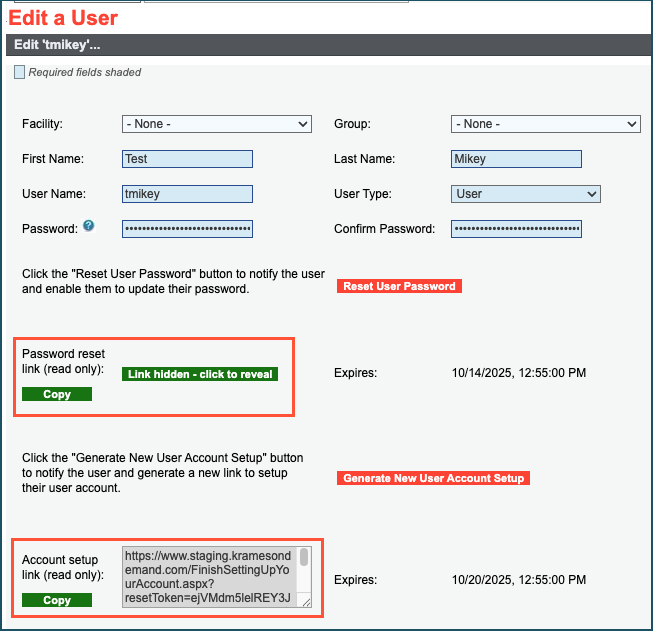
On the Edit a User screen, options to copy or generate a link will appear whenever a user has a pending password reset request or hasn't completed their account setup.
Copy an active link
If the user already has an active, unused link, you have two ways to copy it:
- Click the Copy Link button to instantly copy the link to your clipboard without revealing it on screen.
- Click the Link Hidden button to see the full link and copy it manually.
Generate a new link
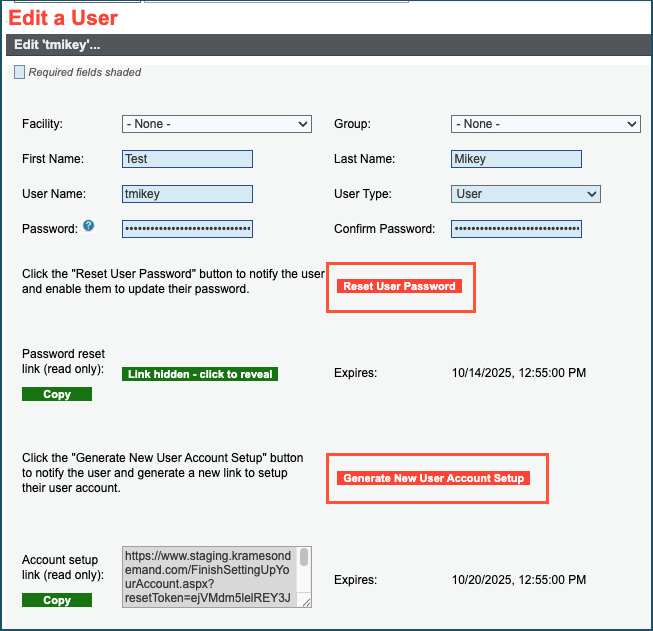
If the user’s link has expired, you’ll need to first generate a new one. On their profile, click the Reset User Password or Generate New User Account Setup button.
The screen will then refresh to show the new link's expiration time, and the Copy Link and Reveal Link buttons will appear for you to use.
Once you’ve copied a link, paste it into your internal channel of choice (email, chat, etc.) to send to the user.
Why it matters
We heard your feedback, and these new self-service tools are designed to empower your team. Admins can now provide faster, more flexible access, while users receive immediate help — no support ticket needed.