Staging release: 2/14/2024
Production release: 2/27/2024
New
View previously assigned education
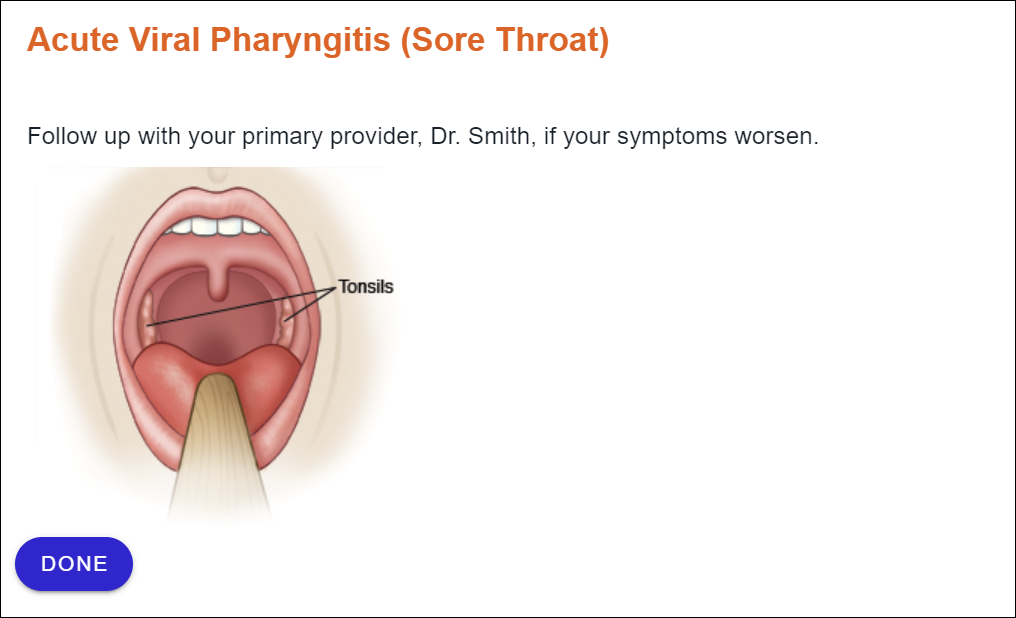
In Activity History, now you can view the actual education assigned to patients, not just the title and other high-level details. Even better, you’ll see exactly what was provided—including any edits made by the clinician specifically for the patient.
This means:
- Easier access for providers: Previously, edited education could only be seen in the patient’s record in Epic. Now find it right in Krames On FHIR.
- Seamless care for patients: Follow-up visits can be more productive, helping all clinicians seeing the patient understand any special instructions that were added.
How it works
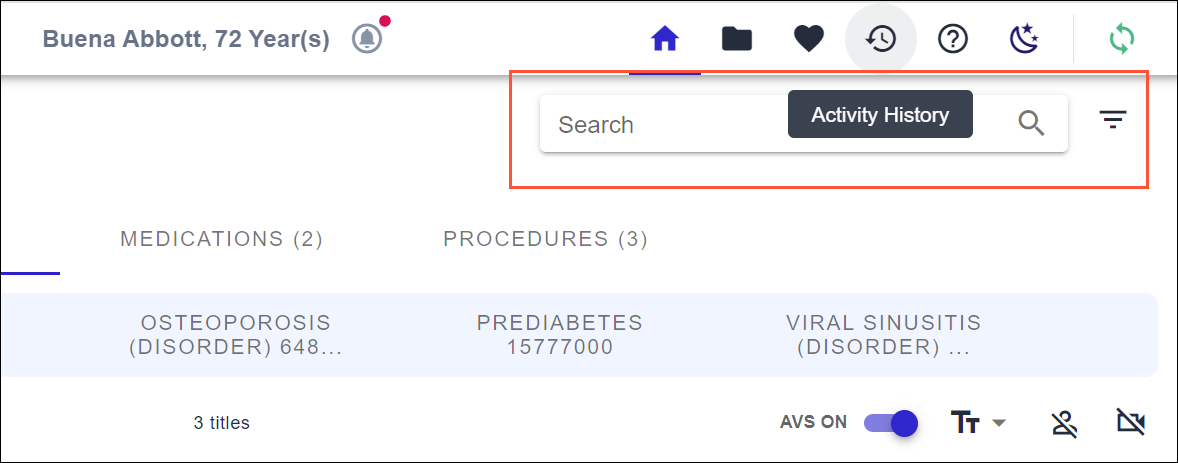
Navigate to the Activity History page.
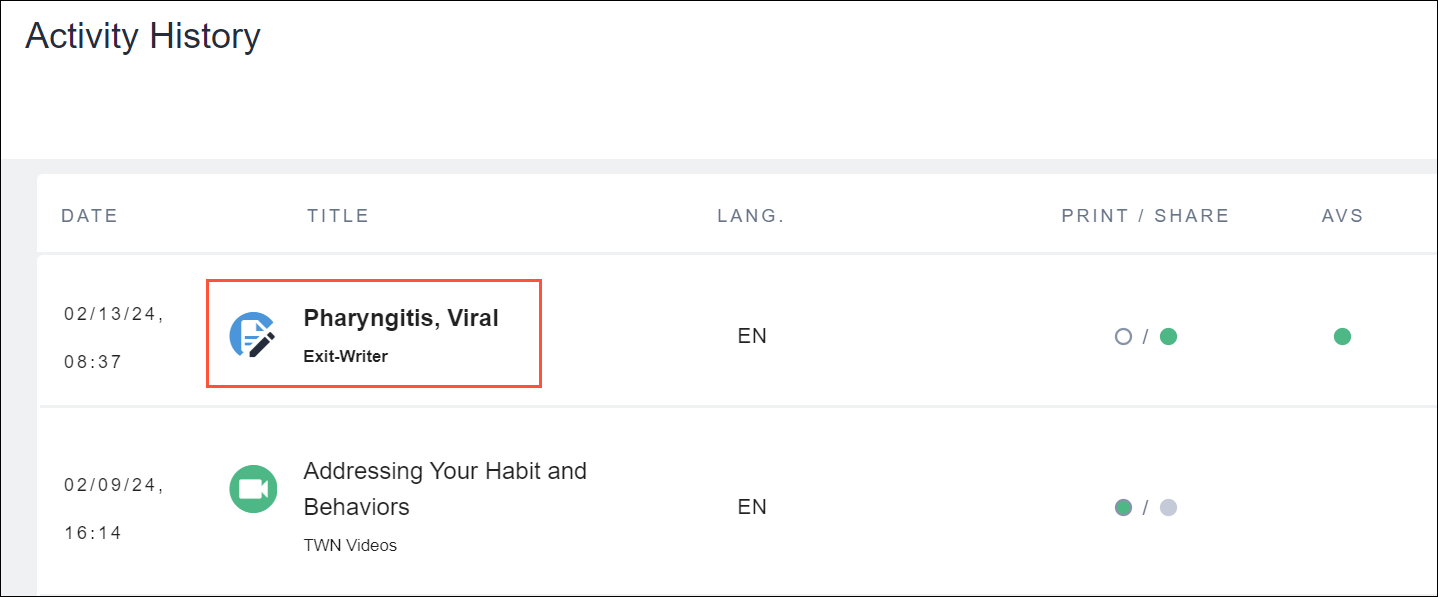
Select the Title of the education you wish to view.
You’re now viewing the version provided to the patient. Click Done to close.
Enhanced
Elasticsearch: Improved synonym functionality
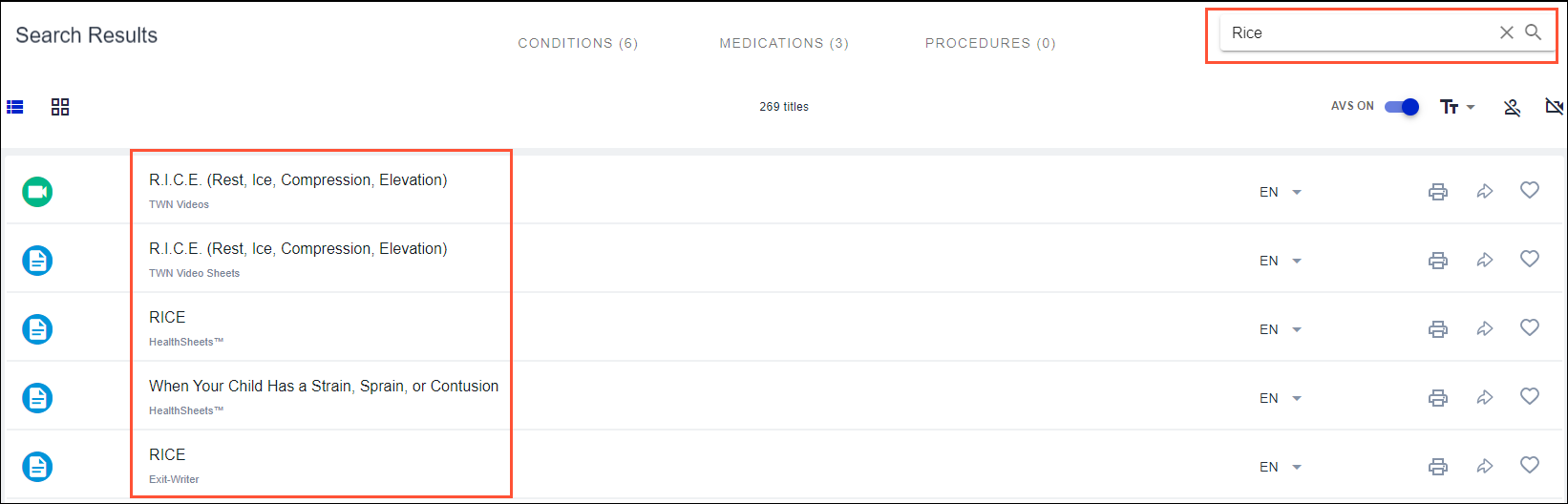
In our ongoing efforts to improve your search experience, we’ve implemented a more robust synonym functionality. Our focus for this first synonyms list was on the top 100 emergency department diagnoses and variations across different age groups. See the complete list of synonyms we’ve recently added.
This enhancement supports:
- Better search results for word variations and acronyms.
- Ongoing expansion of the synonyms list to incorporate all healthcare topics.
Previous search results
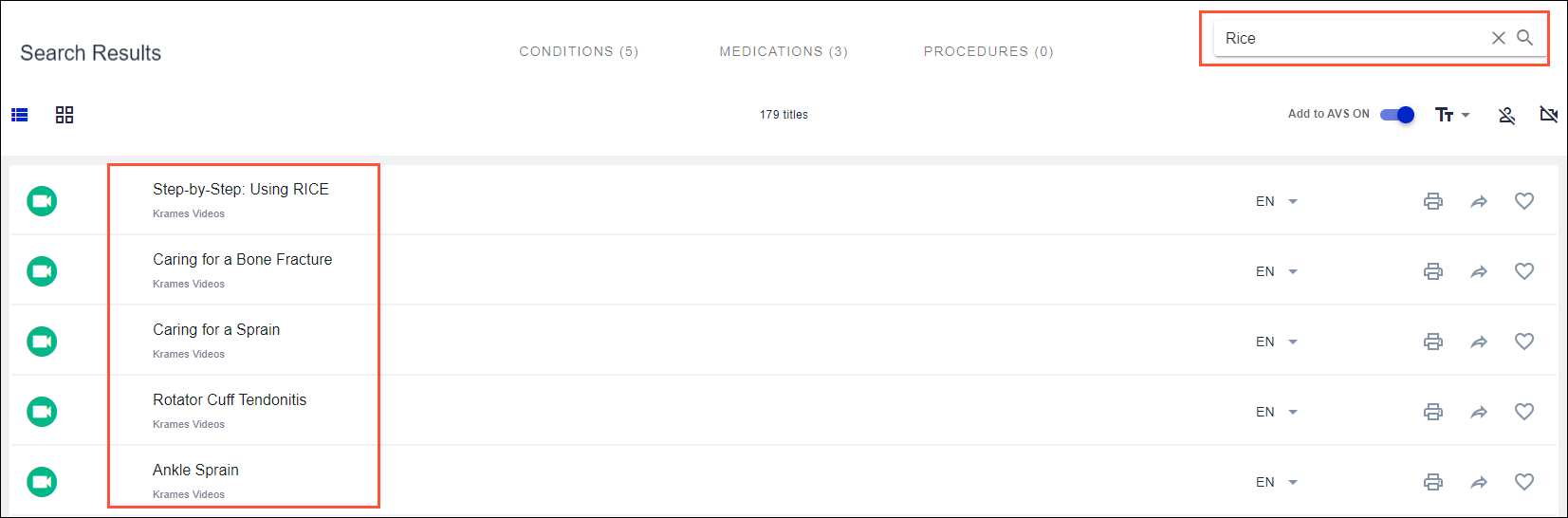
Improved search results
Coming soon
Krames On FHIR Automated Education
We continue to make progress on this add-on feature, which will automate education assignment for a specific clinical diagnosis based on a set of configurable rules.
Condensing the list of filterable content types
With this user-friendly enhancement, all your content will still be available to filter, but pared down into a shorter list of logical groupings.
Related Help Content


 Ignite on FHIR
May 2025 - Coffee With... Dominique Cox: Ignite on FHIR Reporting Capabilities
[Topics] Key Ignite on FHIR utilization reporting measures and current Ignite on FHIR reporting capabilities; What to expect from regular reporting; Deeper dive into identifying opportunities via Session Log; Client success story: Legacy Health