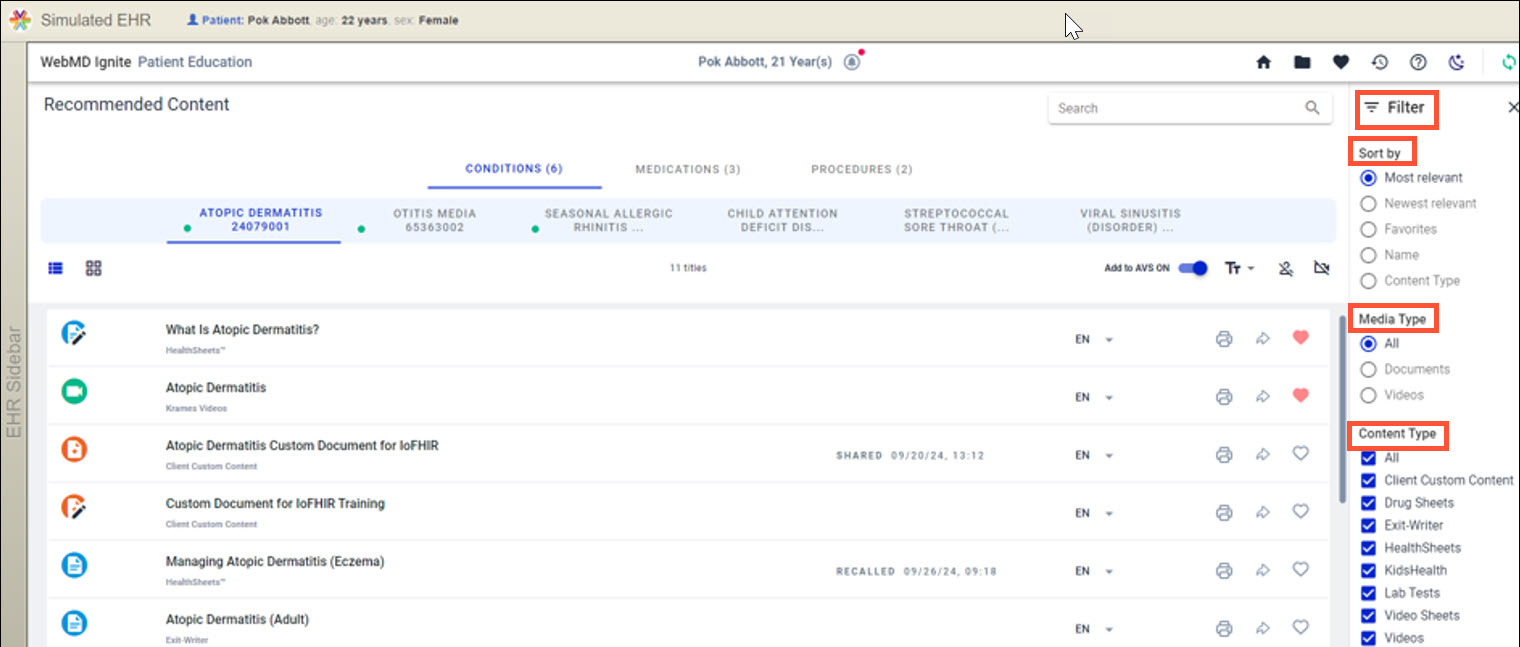
The Recommended Content page is where content recommendations are made based on the information in the patient record including:
- Demographics
- Current clinical encounter
- The problem list
- Active medications
- Completed and ordered procedures
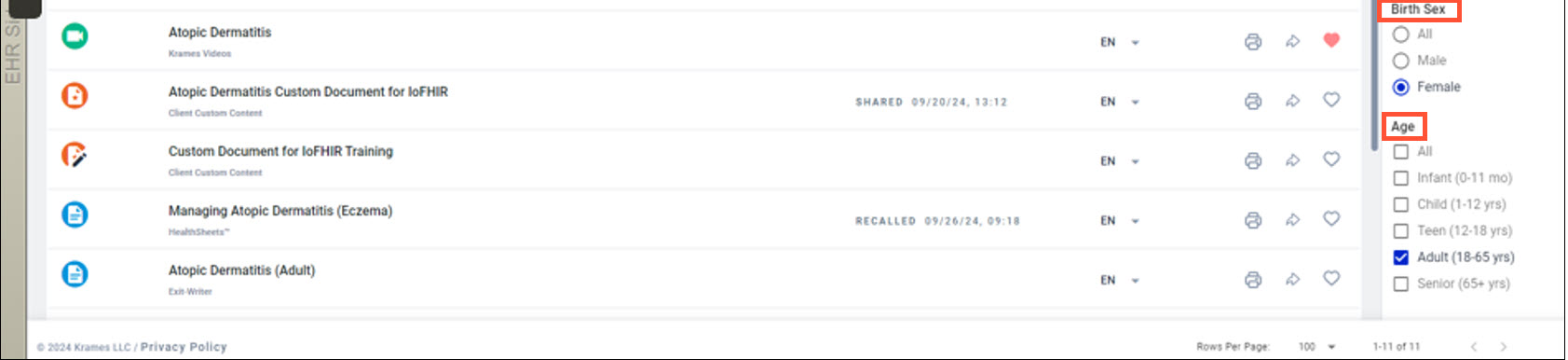
The content is filtered based on:
- Patient’s birth sex
- Age
- Media type
- Content types
These can be selected in the Sort and Filter menu:
How Recommended Content is built
The content recommendations are grouped by clinical codes and organized in 4 categories:
- Conditions
- Medications
- Procedures
- Impressions
Content Categories
Categories can be configured in different ways, either visible or hidden, for ambulatory/inpatient and ED based on the needs of each clinical workflow.
| Category | Priority Code | Epic Implementation |
|---|---|---|
| Impressions | ICD10, SNOMED | Retrieved from the patient’s Clinical Impressions List in Epic’s ASAP EHR module |
| Conditions | ICD10, SNOMED, ICD9, MeSH | Retrieved from the patient's Active Problem List (historical diagnoses), Hospital Admission Diagnosis and Current Encounter Diagnosis |
| Medications | RxNORM, NDC | Retrieved from the patient's Active Medication List (does not include self-reported medications) |
| Procedures | ICD10, SNOMED, CPT, LOINC, HCPCS | Retrieved from the patient's Ordered Procedures and from historical Completed Procedures for previous 30 days |

Recommended Content page features
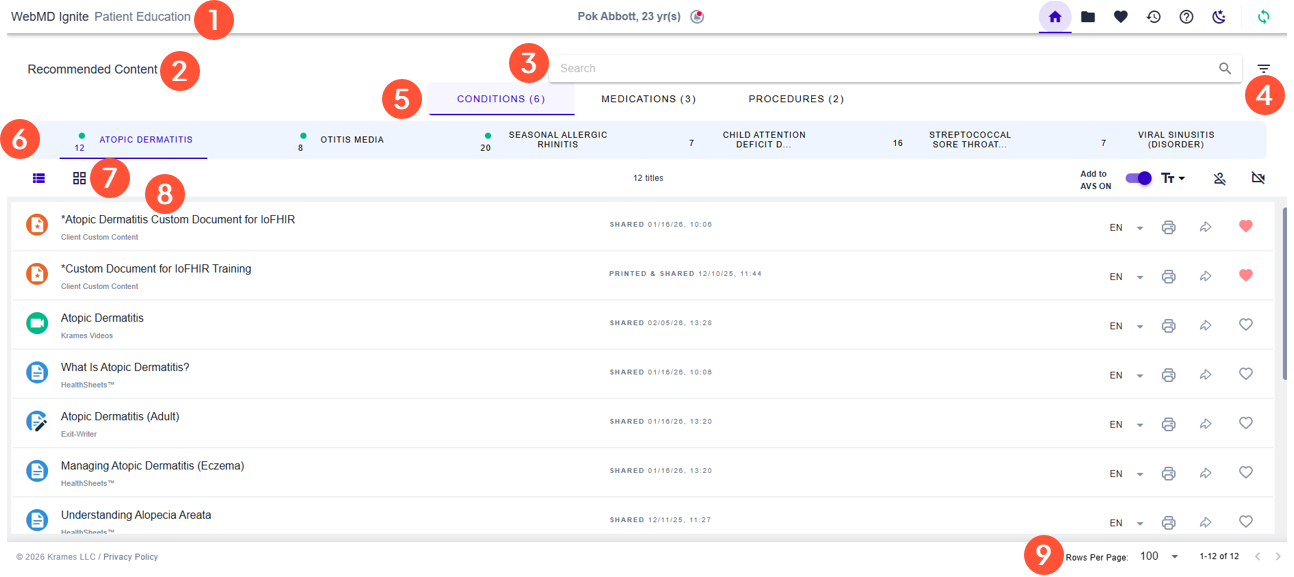

App name: Configurable by organization
Page: The page you’re currently on


Sort and Filter: Sort the order of recommended content and/or manual search results and use filters to narrow or expand results (learn more)

Category Tabs: Configured for each workflow to provide relevant data

Taxonomy Tabs: Classification within each category by clinical code
If a tab with no content is suggested, we recommend doing a keyword search on the topic. Your organization can also ask WebMD Ignite if the medical taxonomy can be added to any content.

Content Toolbar: Commands to configure page view and content sharing

Content Items: Recommended content for selected clinical code

Pagination: Choose how many titles returned on each page
Related Help Content
 Ignite on FHIR
May 2025 - Coffee With... Dominique Cox: Ignite on FHIR Reporting Capabilities
[Topics] Key Ignite on FHIR utilization reporting measures and current Ignite on FHIR reporting capabilities; What to expect from regular reporting; Deeper dive into identifying opportunities via Session Log; Client success story: Legacy Health